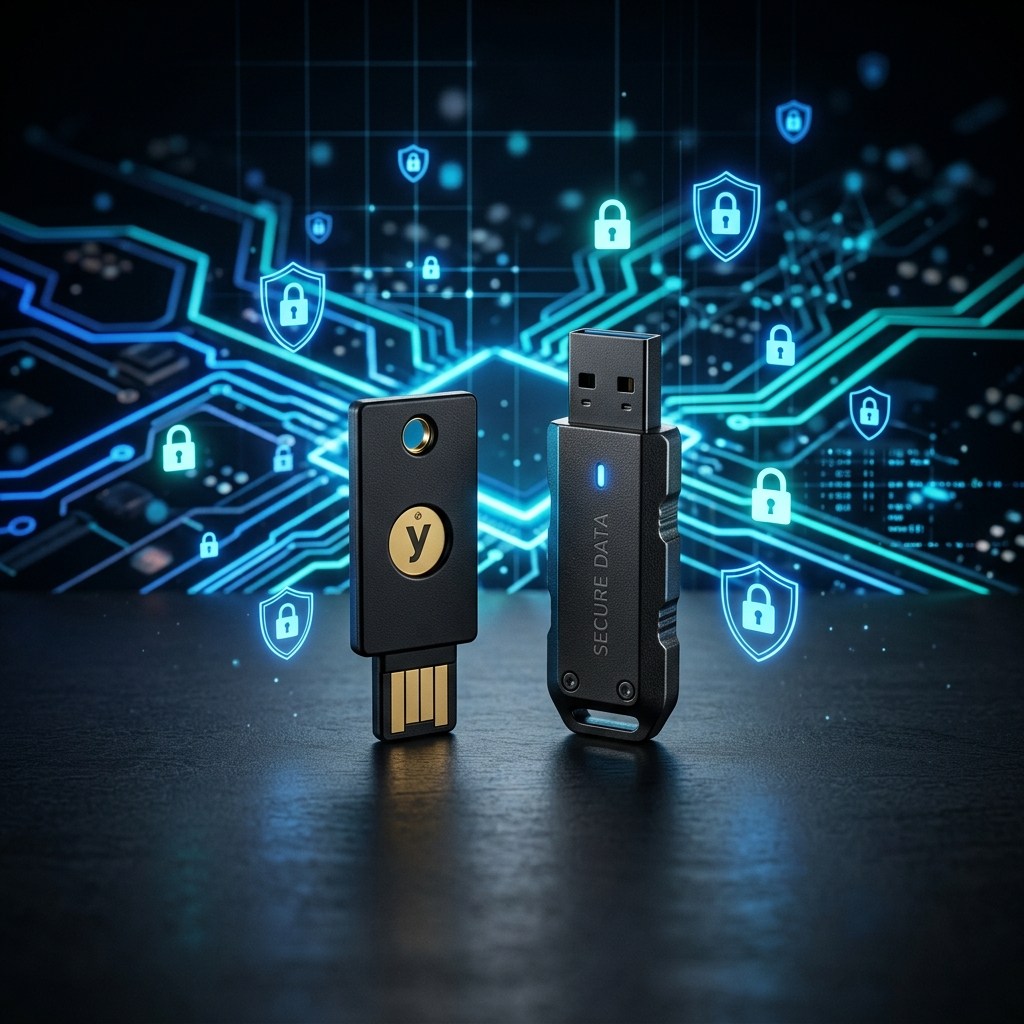

The Illusion of Software-Only Security
In the modern cybersecurity landscape, billions of people place their entire digital lives behind two invisible barriers: a password and a software antivirus program. Both of these defenses, while necessary, share a common and catastrophic weakness. They exist entirely in the digital realm, and they can be compromised, bypassed, or stolen without the attacker ever touching your physical device.
A determined threat actor does not need to be in the same country as you to steal your password. Through phishing campaigns, infostealer malware, or purchasing your credentials from a dark web combo list assembled from hundreds of breached databases, a hacker halfway around the world can silently log into your email, bank, or cloud storage in the middle of the night while you sleep soundly.
This is precisely why the most sophisticated cybersecurity professionals, intelligence agencies, and privacy-conscious individuals have adopted a fundamentally different philosophy: physical security for digital assets. The two cornerstone tools of this philosophy are the hardware security key (most famously, the YubiKey) and the hardware-encrypted USB drive. In this comprehensive guide, we will analyze both technologies with surgical precision, explaining exactly how they work, why they are demonstrably superior to software alternatives, and who should be using them right now.
Part One: The YubiKey — The Physical Key to Your Digital Kingdom
The YubiKey, manufactured by the Swedish-American company Yubico, is a small, thumb-drive-sized device that plugs into your computer's USB port or taps against your smartphone's NFC reader. Its function is deceptively simple: it acts as a physical proof-of-identity that a remote hacker cannot replicate or steal over the internet.
Understanding the Fundamental Problem With SMS-Based 2FA
Before understanding why a YubiKey is so powerful, you must first understand the critical weakness of the most common form of Two-Factor Authentication (2FA): the SMS text message OTP (One-Time Password).
When you log into your bank account and it sends a 6-digit code to your phone, this feels secure. You know the password, and you have the phone. However, this system has two devastating attack vectors that have been exploited repeatedly in high-profile cases:
- SIM-Swapping: A hacker calls your mobile carrier, impersonates you using leaked personal data (your name, date of birth, and last four digits of your Social Security Number, all of which are commonly found in data breach databases), and convinces the customer service representative to transfer your phone number to a new SIM card in the hacker's possession. From that moment, every SMS OTP sent to your number goes directly to the attacker.
- SS7 Protocol Exploitation: The Signaling System No. 7 (SS7) is the aging, 1970s-era telecommunication protocol that routes phone calls and SMS messages globally. Nation-state hackers and highly sophisticated criminal organizations can exploit fundamental vulnerabilities in SS7 to intercept SMS messages in real time, capturing your OTP before it even reaches your phone.
Neither of these attacks requires access to your physical device. They are carried out remotely, silently, and are often undetected until it is too late. The YubiKey was designed to make both of these attacks completely irrelevant.
How the YubiKey Works: The FIDO2 and WebAuthn Standards
The YubiKey operates on open, internationally standardized cryptographic protocols: FIDO2 and WebAuthn, developed by the FIDO Alliance with the backing of Apple, Google, Microsoft, and hundreds of other technology giants. These standards represent the most significant advancement in authentication security in the last two decades.
When you register your YubiKey with a supported service (like Google, Microsoft, GitHub, or a corporate VPN), the following cryptographic process occurs:
- The YubiKey generates a unique, site-specific cryptographic key pair: a public key and a private key.
- The public key is sent to and stored on the service's server.
- The private key is generated and stored exclusively within the tamper-proof hardware chip inside the YubiKey. It never leaves the device. Ever.
When you subsequently attempt to log in, the service sends a cryptographic challenge to your browser. Your browser passes this challenge to the YubiKey. You physically touch the gold contact on the YubiKey. This touch is a deliberate design choice — it proves a human is physically present and has consented to the authentication. The YubiKey signs the challenge with its private key and returns it to the service, which verifies it against the stored public key. Access is granted.
The crucial security insight is this: there is no shared secret, no OTP transmitted over the network, and no password exchanged. A hacker intercepting the network traffic would capture nothing useful. A hacker who compromises the service's server would only find your public key, which is entirely useless for logging in. The private key remains sealed inside the physical chip, making a remote attack against this authentication method mathematically impossible with current and near-future computing technology.
YubiKey 5 NFC: The Gold Standard for Most Users
For the vast majority of consumers and professionals, the YubiKey 5 NFC is the definitive recommendation. It supports every major authentication protocol simultaneously: FIDO2/WebAuthn (for passwordless login), FIDO U2F (for traditional two-factor authentication), TOTP/HOTP (the codes used by Google Authenticator), PIV (used in corporate smart card environments), and OpenPGP (for secure email encryption).
The NFC (Near Field Communication) capability is particularly valuable. For mobile authentication, you simply tap the YubiKey against the back of an NFC-enabled smartphone. No adapter is required. The same key protects your desktop computer via USB-A and your iPhone or Android phone via NFC, eliminating the need to purchase multiple keys for different devices.
The device is built to military-grade durability standards. It has no battery, no moving parts, and no screen. It is crush-resistant, water-resistant (IP68 rated, tested to 1.5 meters depth for 30 minutes), and designed to survive decades of daily use. Many users attach it to their physical keychain alongside their house keys — a poetic merging of physical and digital security.
You can find the YubiKey 5 NFC on Amazon US and on Amazon India. Given its role as the single most effective upgrade you can make to your personal security posture, it represents a remarkably cost-effective investment.
Who Absolutely Needs a YubiKey in 2026?
While everyone benefits from hardware-based authentication, certain individuals face elevated threat profiles that make the YubiKey an absolute necessity rather than a luxury:
- Individuals whose email has appeared in data breach databases: If your credentials have already been found in a leaked combo list (you can check this using our Pwned Checker Tool), attackers may already be attempting to use your old passwords against current accounts. A YubiKey ensures that even a perfectly correct password is useless without the physical device.
- Remote workers and developers: Corporate VPN access, GitHub repositories, and cloud infrastructure are high-value targets. Hardware keys protect these critical assets with a level of security that far exceeds corporate-issued RSA tokens.
- Journalists, activists, and privacy advocates: Individuals who operate under the threat of targeted, sophisticated adversaries — including nation-state actors — rely on hardware keys as a non-negotiable baseline of operational security.
- Cryptocurrency holders: If you hold significant digital assets, protecting your exchange accounts and wallet backups with a hardware key is a fundamental risk management strategy.
- Anyone with high-value financial accounts: Online banking, brokerage accounts, and investment platforms that support hardware keys should be protected immediately.
Part Two: The Hardware-Encrypted USB Drive — Fort Knox for Your Files
While the YubiKey secures your online accounts from remote attack, the hardware-encrypted USB drive addresses an equally serious but fundamentally different threat: the physical loss or theft of your portable data.
Why Software Encryption Is Not Enough for Portable Drives
Many users assume that enabling software-based encryption (like BitLocker on Windows or VeraCrypt) on a standard USB drive provides adequate protection. In most scenarios, this is a reasonable assumption. However, software encryption has documented weaknesses that hardware encryption eliminates by design:
- Cold Boot Attacks: In sophisticated forensic scenarios, an attacker can extract encryption keys from a computer's volatile RAM (memory) in the brief window after a system is powered off. By rapidly cooling the RAM chips (using compressed air), the memory retains its data long enough for the attacker to read the decryption keys directly from the hardware.
- Evil Maid Attacks: If an attacker has brief physical access to your unlocked device (a hotel room scenario is classic), they can install a keylogger or modify the bootloader to capture your encryption password the next time you type it.
- Brute-Force Vulnerability: Software-encrypted drives, once removed from the encrypting computer, can often be attacked offline. An attacker can create an image of the encrypted drive and then run a brute-force or dictionary attack against it at their leisure, using powerful GPU clusters without any lockout mechanism.
Hardware-encrypted drives solve all three of these problems at the silicon level, before your computer's operating system is even involved.
The Architecture of a Hardware-Encrypted Drive
A genuine hardware-encrypted USB drive (as opposed to a standard USB drive with a software encryption wrapper) contains a dedicated, self-contained security processor chip, often called a Secure Element or a Cryptographic Module. This chip handles all encryption and decryption operations independently of the host computer.
When you plug a hardware-encrypted drive into a computer — any computer, running any operating system — the drive presents itself as a locked, unreadable block device. The drive's internal processor requires authentication before it presents the readable volume to the host operating system. This means the host computer never sees the unencrypted data and never processes the encryption keys; it only ever receives already-decrypted data streams, which are immediately re-encrypted when written back to the drive.
The most critical security feature is the brute-force lockout mechanism, implemented in hardware. After a configurable number of incorrect PIN attempts (typically 10), the drive's cryptographic module automatically performs a secure erase of all data, destroying the encryption keys permanently. Because this lockout is enforced by the hardware chip rather than software that a sophisticated attacker could potentially bypass, it is fundamentally more reliable. Your data would be safer in the hands of a sophisticated intelligence agency than it would be without this protection.
Kingston IronKey: The Industry Benchmark for Encrypted Storage
Among hardware-encrypted drives, the Kingston IronKey series has consistently set the industry benchmark, earning FIPS 140-3 Level 3 certification — the same standard used by government agencies and defense contractors for handling classified information.
The AES-256 XTS encryption implemented in hardware on the IronKey is the same algorithm used by the United States National Security Agency to protect Top Secret data. Critically, the drive includes built-in protection against BadUSB attacks (where malicious firmware is flashed onto a USB device), as the firmware is digitally signed and cannot be modified. For users who work with highly sensitive client data, financial records, medical information, or proprietary intellectual property, the IronKey provides a genuinely impenetrable portable storage solution.
You can find Kingston encrypted USB drives on Amazon India and on Amazon US. For professionals, the cost is negligible compared to the potential consequences of a sensitive data breach — both the financial penalties under data protection regulations like GDPR and DPDP, and the reputational damage from a client data exposure.
Practical Use Cases: Who Needs a Hardware-Encrypted Drive?
- Healthcare professionals: Carrying patient data (HIPAA/DPDP regulated) on an unencrypted drive is not just a security risk — it is a regulatory violation that carries substantial fines.
- Legal and financial professionals: Client confidentiality extends to the physical portability of case files and financial records. A lost laptop bag containing an unencrypted drive can constitute a notifiable data breach.
- Journalists and whistleblowers: Protecting source materials and sensitive documents in authoritarian environments or high-stakes investigative work requires storage that cannot be compelled to reveal its contents.
- IT administrators and security researchers: Carrying sensitive network credentials, penetration testing tools, or incident response scripts on a hardware-encrypted drive ensures that a lost device does not become an attack vector against your own infrastructure.
- Everyday users with important data: Personal financial records, tax documents, scanned legal papers, and cryptocurrency wallet seed phrases — any data with catastrophic consequences if leaked — deserve hardware-grade protection.
The Holistic Security Stack: Combining Both Devices
The YubiKey and the hardware-encrypted USB drive are not competing products; they address orthogonal threat vectors and are most powerful when used together as part of a layered physical security strategy.
Consider the following practical architecture for a privacy-conscious professional:
- Your encrypted USB drive stores your KeePass password database file (an offline, encrypted password vault) along with critical sensitive documents.
- Your YubiKey serves as the second factor required to unlock that KeePass database, meaning the database file is useless without the physical key, and the key is useless without the encrypted drive and the master password.
- Online accounts — email, cloud storage, banking — are all protected by the YubiKey as a physical FIDO2 authenticator, making them immune to remote phishing and credential stuffing attacks.
This creates a three-layer security model: something you know (the master password), something you have (the YubiKey), and something you carry (the encrypted drive). Compromising any single layer yields an attacker nothing without the other two. This is the security architecture used by high-value targets who cannot afford to be breached.
The Connection to Data Breach Exposure
You may be reading this article because you recently discovered your email or password in a data breach database. Perhaps you used our Have I Been Pwned Checker and saw your data flagged in multiple breaches. This is an incredibly common situation in 2026, where billions of credentials circulate freely on dark web forums.
The discovery that you have been pwned is, counterintuitively, a gift — an urgent warning that your current software-only defenses are insufficient. A hardware security key means that even if a hacker has your exact, current password, they cannot log into your account without physically possessing your YubiKey. An encrypted USB drive means that your most sensitive local files are protected by cryptographic keys that cannot be extracted through any remote attack vector whatsoever.
These two physical devices transform your security posture from reactive (changing passwords after breaches) to genuinely proactive (making your accounts impenetrable even to attackers with perfect knowledge of your credentials).
Conclusion: Physical Security is the Final Frontier
The cybersecurity industry has spent decades building increasingly sophisticated digital fortresses, and sophisticated attackers have consistently found ways to climb the walls, tunnel underneath, or simply trick someone into opening the gate. The fundamental insight that hardware security devices provide is that some boundaries can only be enforced in the physical world.
A cryptographic private key that physically cannot leave a silicon chip cannot be phished, cannot be stolen in a database breach, and cannot be intercepted in transit. Data encrypted by a hardware module with a self-destruct mechanism cannot be brute-forced on a GPU cluster. These are not marketing claims; they are mathematical and physical certainties.
The YubiKey 5 NFC — available on Amazon US and Amazon India — and a high-quality hardware-encrypted USB drive — available on Amazon India and Amazon US — are not luxury items for paranoid technologists. In 2026, given the sheer volume of leaked credentials and the sophistication of modern threat actors, they are the baseline standard of security for anyone who takes the protection of their digital identity seriously.
If your data has appeared in a breach, do not just change your password. Upgrade your entire security architecture. Start with a hardware key, protect your portable data with hardware encryption, and run our Pwned Checker regularly to stay ahead of newly discovered leaks. Because in the asymmetric warfare of modern cybersecurity, the best defense is making yourself not just a harder target, but a technically impossible one.