
The Moment of Truth: The Screen Flashes Red
You type your email address into our breach checker. You hit enter. For a fraction of a second, the server queries a massive cryptographic database. And then it happens. The screen flashes red. A stark warning appears: your data was found in a breach.
For most people, this triggers immediate panic. You stare at the screen, wondering what it actually means. Did someone just empty your checking account? Is a hacker in Russia currently reading your private emails? The reality of what happens after your data is pwned is far more methodical, industrial, and chilling than the chaotic hacking scenes you see in movies. Your data doesn't just disappear into the ether; it enters a highly structured, ruthless underground economy.
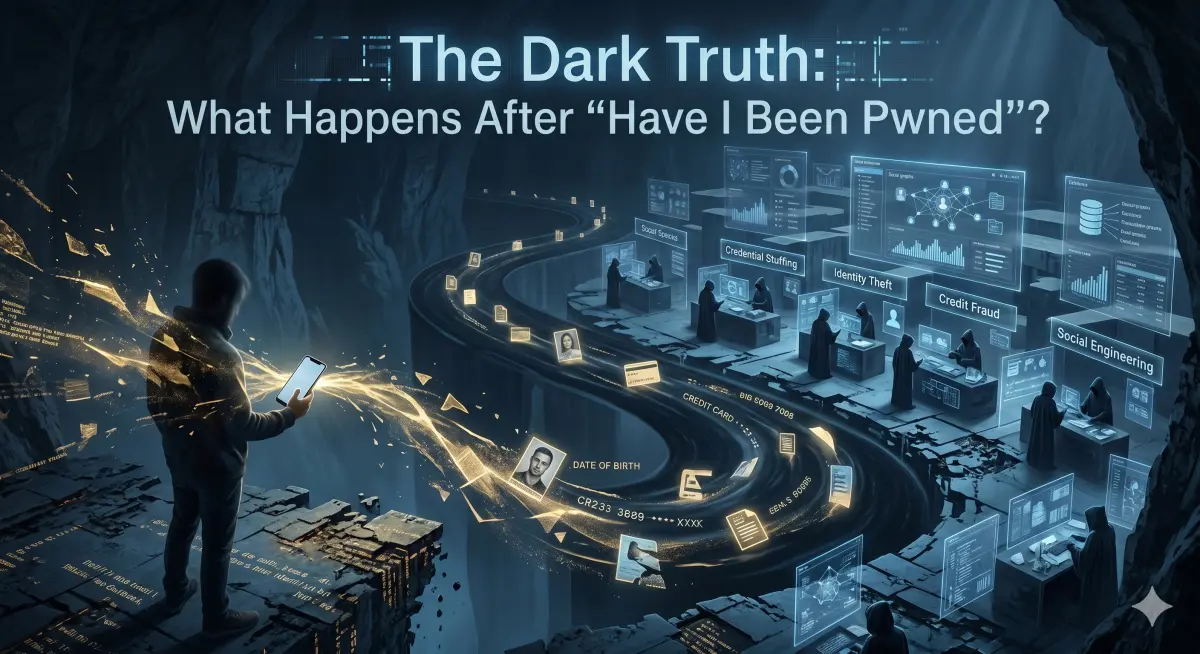
If you want to survive a data breach, you need to understand exactly what happens to your information the second it leaves a secure server. This is the lifecycle of stolen data.
Phase 1: The Extraction and the Dwell Time
The terrifying truth is that by the time you see that red warning on our site, the hackers have probably had your data for months. This gap between the initial hack and the public disclosure is known in the cybersecurity world as "Dwell Time."
When an Advanced Persistent Threat (APT) group breaches a corporate network, they don't smash and grab. They operate silently. They map the network architecture, locate the primary SQL databases, and quietly siphon off terabytes of user data. They compress it, encrypt it, and exfiltrate it to offshore servers over the course of weeks. If the company's security team is sleeping at the wheel, the hackers can maintain this backdoor access indefinitely.
During this Dwell Time, the hackers have exclusive access to your data. This is when the most targeted, high-value exploitation happens. If the breached database belonged to a cryptocurrency exchange or a major financial institution, the hackers are immediately attempting to drain the highest-net-worth accounts before anyone even realizes a breach has occurred.
Phase 2: The Initial Access Brokers and Dark Web Forums
Eventually, the hackers will try to monetize the bulk data. Sometimes they attempt to extort the breached company with ransomware, demanding millions in Bitcoin to keep the data quiet. If the company refuses to pay, or if the hackers just want to double-dip on their profits, the database heads to the dark web.
The data is usually handed over to "Initial Access Brokers." These are specialized cybercriminals whose entire job is to organize, verify, and auction off stolen databases. They post a sample of the data—say, 10,000 rows of user emails, hashed passwords, and phone numbers—on notorious underground forums like BreachForums or XSS.is. They demand payment in Monero (an untraceable cryptocurrency) for the full dataset.
At this stage, your specific email address is just one microscopic data point in a text file containing 50 million other people. The buyer of this database doesn't care about you personally. They care about the aggregate value of those 50 million records.
Phase 3: The Industrialization of Fraud
Once the database is purchased by a fraud syndicate, the real damage begins. The data is fed into automated exploitation pipelines. This is where the concept of being "pwned" translates into real-world financial ruin.
The Credential Stuffing Engine
Let's say the breached database was from a random, low-security online shoe store. You might think, "Who cares? They only got my shoe store password." But hackers know that human psychology is lazy. Over 65% of people recycle passwords.
The buyers load the 50 million email and password combinations into automated software called "credential stuffers." These scripts route their traffic through thousands of proxy IP addresses to bypass security filters. They take your shoe store password and test it against PayPal, Amazon, Chase Bank, and Apple. They can test thousands of accounts per second. If you reused that password, the script scores a "hit." The hacker's software automatically flags your PayPal account as compromised, logging the active balance.
The "Combo List" Aggregation
After a few months, the database loses its exclusivity. The initial buyers have squeezed all the high-value juice out of it. So, they dump it publicly for lower-level script kiddies to download for free. This is usually when the breach hits the mainstream news, and this is when it gets added to our database checker.
At this point, your data is merged into massive "Combo Lists." These are multi-terabyte text files containing billions of email:password pairs aggregated from thousands of different breaches over the last decade. Once your email is in a public combo list, you will face a permanent, unending barrage of automated login attempts against every account you own for the rest of your life.
The Secondary Attacks: Phishing and Identity Theft
Sometimes the breached data doesn't contain a password. Sometimes it's just your email, your physical address, your phone number, and your date of birth. This is arguably worse than a leaked password, because you can't just "reset" your date of birth.
Hyper-Targeted Spear Phishing
If a hacker knows your name, your address, and the fact that you recently bought a specific product from a breached company, they can craft a terrifyingly convincing phishing email. You receive an email that looks exactly like it came from your bank, addressing you by your full name, referencing your phone number, and warning you of fraudulent activity. Because the email contains accurate personal data, your brain drops its guard. You click the link, enter your real banking password into the fake site, and the trap snaps shut.
SIM Swapping and MFA Bypass
If your phone number is leaked alongside your email, you are a prime target for a SIM-swap attack. The hacker calls T-Mobile or AT&T, pretends to be you, uses the leaked personal data to bypass the customer service security questions, and convinces the rep to transfer your phone number to their SIM card.
Suddenly, your phone loses cellular service. A minute later, the hacker goes to your bank's website, types in your email, hits "Forgot Password," and intercepts the SMS text message containing the reset code. They lock you out, drain the accounts, and vanish. This entire process can take less than twenty minutes.
The Post-Breach Lockdown: Your Action Plan
So, the screen flashed red. You know your data is out there. You know it's currently sitting in a combo list being run through an automated cracking rig. What do you do? You execute a ruthless, uncompromising lockdown protocol.
1. Burn the Compromised Password to the Ground
If a password is flagged in a breach, it is dead. You must never use it again. But more importantly, you must hunt down every other website where you used that exact same password and change it immediately. This is the only way to stop credential stuffing. If you need a refresher on why password variations don't work, read our extensive breakdown on Password Security and OSINT.
You cannot rely on your memory. You must transition to a zero-knowledge Password Manager. Generate 24-character random strings for every account. Make your passwords mathematically impossible to guess.
2. Nuke Your Active Sessions
Changing your password doesn't always log out an attacker who is already inside your account using a stolen session cookie. Go into the security settings of your email, your social media, and your bank. Look for the "Active Devices" or "Logged-in Sessions" menu. Force a logout on every single device you don't immediately recognize. Nuke the sessions from orbit.
3. Audit Your Email Forwarding Rules
Here is a classic hacker persistence trick: Once they breach your primary email account, they know you will eventually realize it and change the password. So, before you notice, they go into your email settings and set up a hidden forwarding rule. They configure it so that every email you receive from your bank or crypto exchange is silently forwarded to a burner email address they control.
Even after you change your password and lock them out, they are still receiving copies of your most sensitive financial communications. Go into your email settings right now and check your forwarding rules and filters. If you see an email address you don't recognize, delete it immediately.
4. Upgrade Your Multi-Factor Authentication
As discussed, if your phone number is leaked, SMS text messages are a massive vulnerability. Move all of your critical accounts to an Authenticator App (like Google Authenticator or Authy) which generates codes locally on your phone. If an account allows it, buy a physical hardware key like a YubiKey. Make the attackers physically need to touch your device to compromise your life.
The Mindset Shift: Embracing Defensive Paranoia
Finding out you have been pwned is a deeply unsettling experience. It feels like a violation of your privacy, and in many ways, it is. But you cannot afford to wallow in frustration or rely on the legal system to punish the corporations that leaked your data. Class-action lawsuits might get you a $14 settlement check three years from now, but they won't stop a hacker from draining your checking account tonight.
The only rational response to living in a digital world where megabreaches happen weekly is to adopt a posture of defensive paranoia. You must build your digital life under the assumption that every company you interact with will eventually be hacked.
Use email aliases so you can burn a compromised address with one click. Use random passwords so a breach at a forum doesn't compromise your bank. Lock down your credit files so stolen SSNs are useless. And most importantly, make it a habit to regularly run your credentials through a secure breach scanner. The hackers are checking your data every single day; you should be too.
Sources & Further Reading
The information in this article is based on the following authoritative sources:
- FTC — What to Do After a Data Breach — US Federal Trade Commission's official guide on steps after data exposure.
- CERT-In — Incident Response Guidelines — Indian government guidelines for responding to data breach incidents.
- Google Account Recovery — Official steps to secure your Google account after a potential breach.
Pwned Checker is committed to citing official and authoritative sources. All external links open in a new tab.
Was Your Email Compromised in this Security Incident?
Cross-reference your email, username, or passwords against billions of verified breach records using our zero-log lookup engine.
Check Your Email for Free →